
How to view Quiz Insights
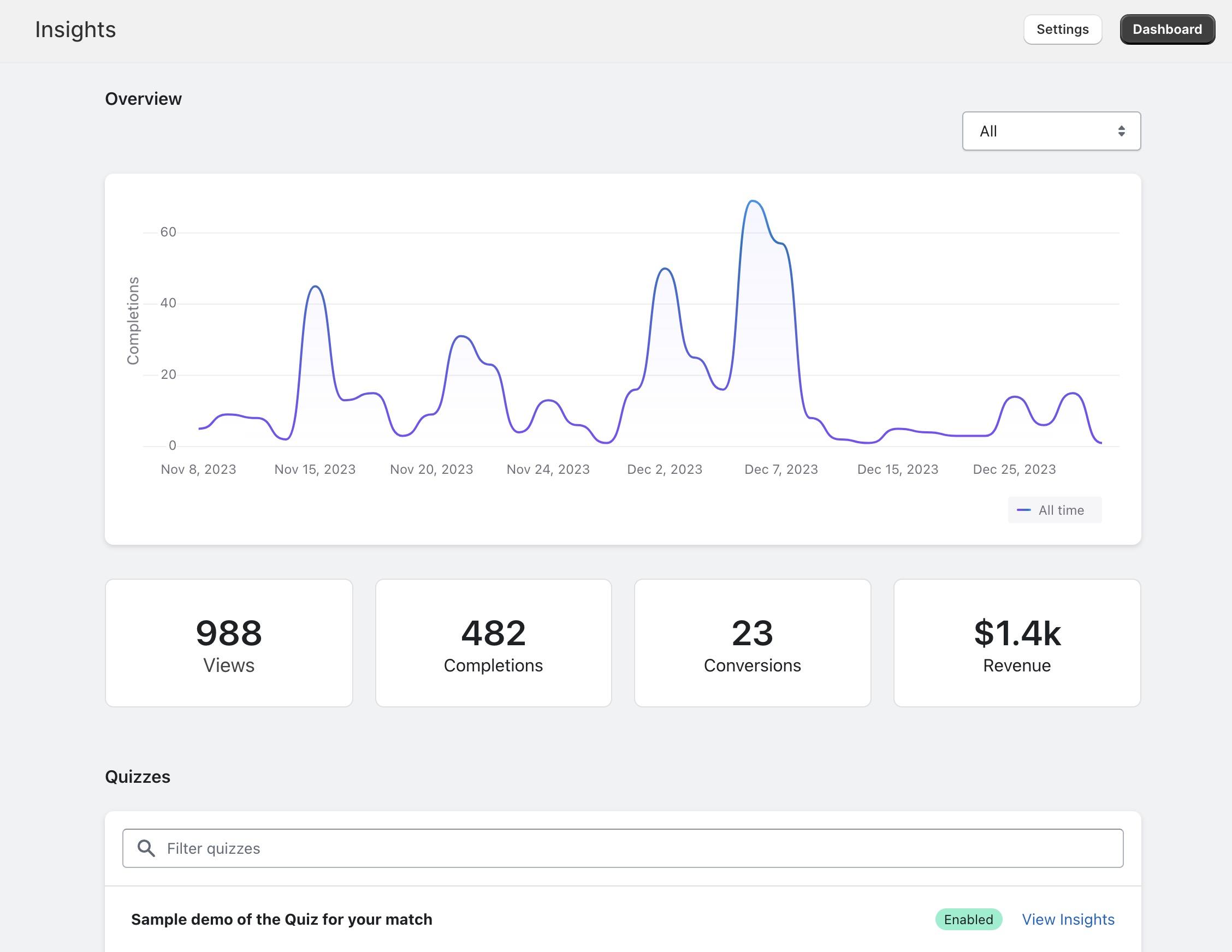
Each quiz you publish on your storefront will start to gather insights.
These include views, completions, conversions and attributed revenue
Insights
You can get an overview of all Quiz insights from the Insights menu under the Quizive app.
View insights for a specific quiz
If you want to view specific insights for a particular Quiz, you can do so by visiting “Insights” and then clicking the relative Quiz under Quizzes. You can also click an Enabled quiz under “Quizzes”
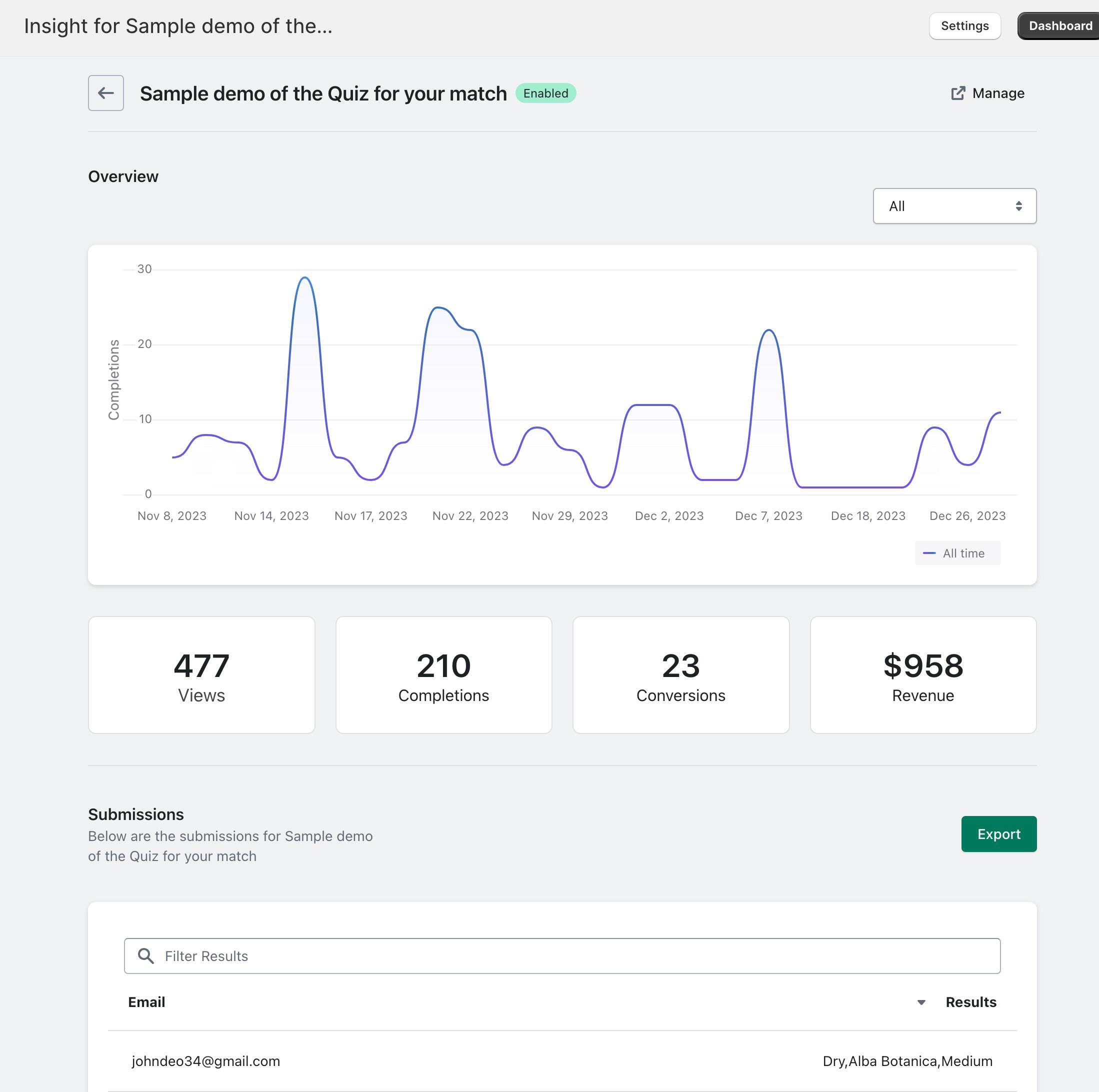
Additionally, this is also where you can view Quiz completions for that specific Quiz as well as exporting the data.