
How to enable and Customize Checkout Upsell Titles
You can display titles and customize these on the Checkout Upsell Offers
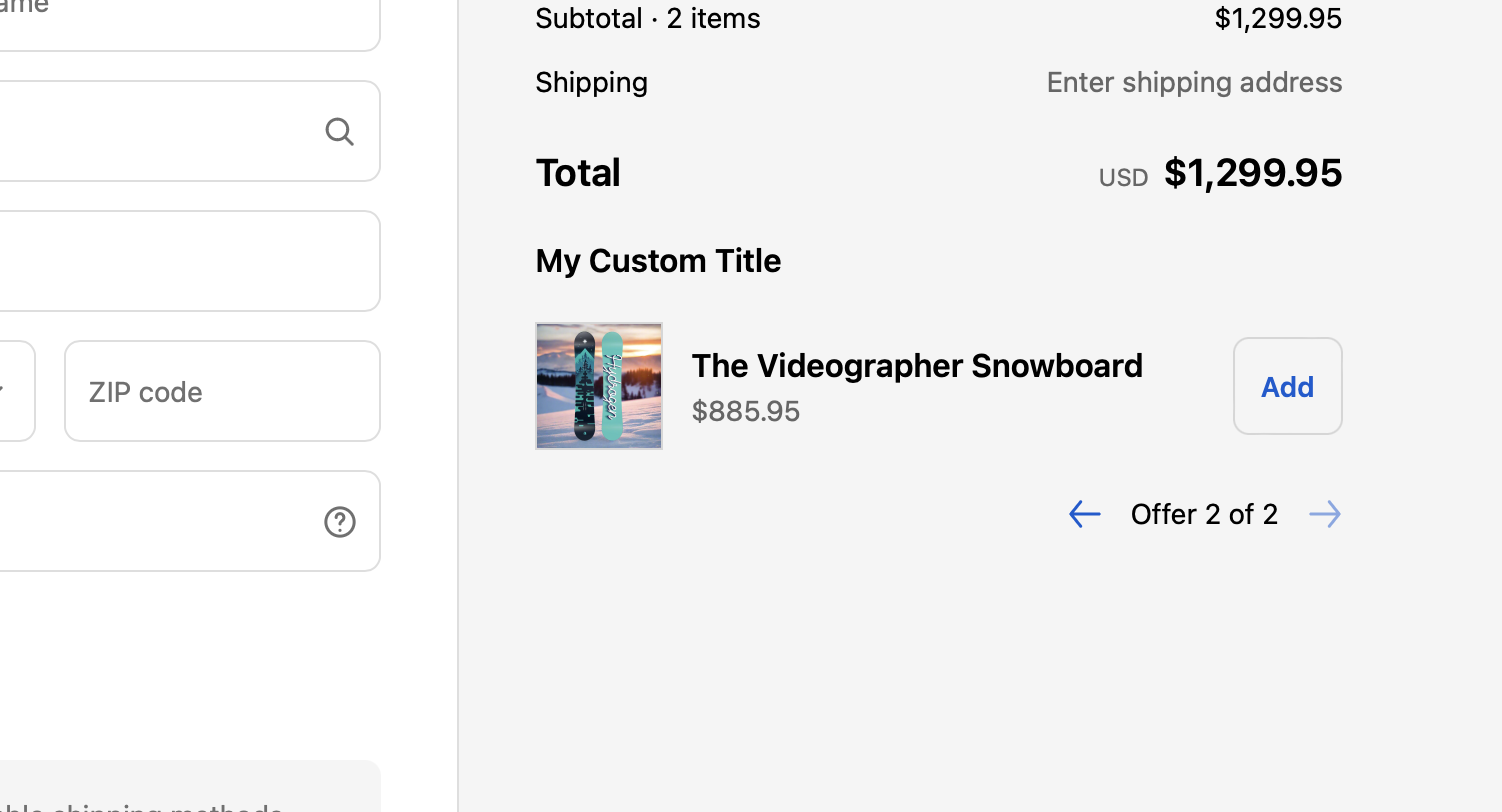
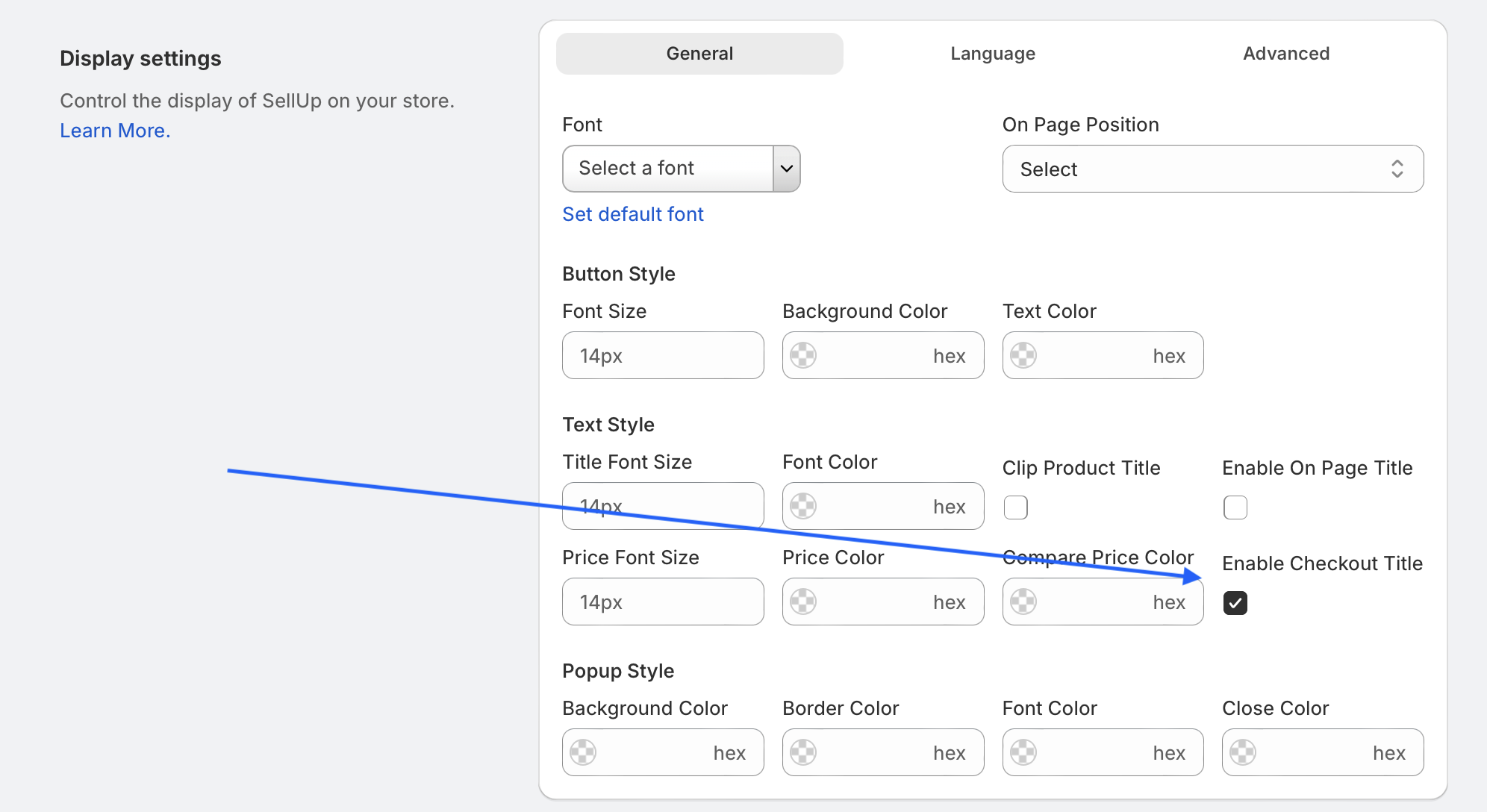
To enable the On Page Title, go to:
SellUp > Settings > Display Settings and then check “Enable Checkout Title“. Finally, click save.
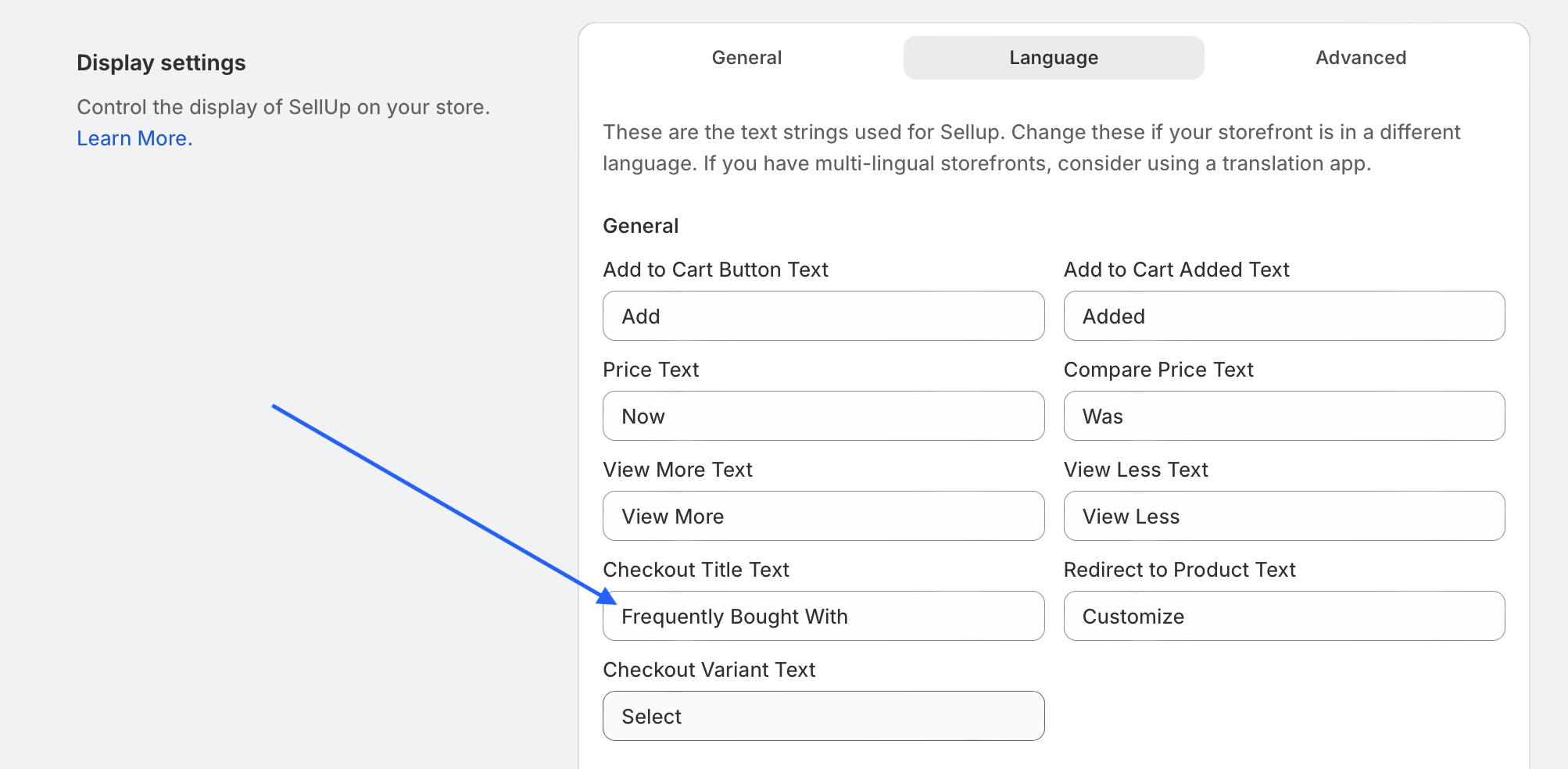
You can edit the text from the Language tab for the Default Title once it is enabled.
Customize a specific title for a Checkout Upsell offer
You can choose to customize or hide a title for a specific Checkout Upsell. This requires the global Checkout Upsell Title to be enabled as per previous section of this article.

When the global Checkout Upsell Title is enabled, you will see the following:

The title will output if it is customized and Global On page Titles are enabled.