Engage lets Chatkit reach out first with a friendly popup message above your floating chat widget — instead of waiting for shoppers to start a conversation. It's the easiest way to turn passive browsers into active conversations. You'll find it under Dashboard › Flows › Engage.
Why use Engage?
- Catch shoppers before they bounce. A timely "Need a hand?" can re-capture attention right when someone is about to leave.
- Drive more conversations. A visible prompt dramatically increases the number of shoppers who open the chat — and every conversation is a chance to answer questions and close a sale.
- Offer help in context. Show the right message on the right page, so it feels helpful rather than generic.
- Lift conversion. Removing hesitation (sizing, shipping, "is this right for me?") at the moment of doubt keeps shoppers moving toward checkout.

Getting started
- Go to Flows › Engage.
- Toggle on Enable engage messages and click Save.
- Add your messages (each up to 200 characters) and they'll start appearing above the widget.
Two types of messages
Default messages
Shown on every page of your store (up to 3). Great for a general greeting or a store-wide offer. If you add more than one, they rotate so visitors see variety.

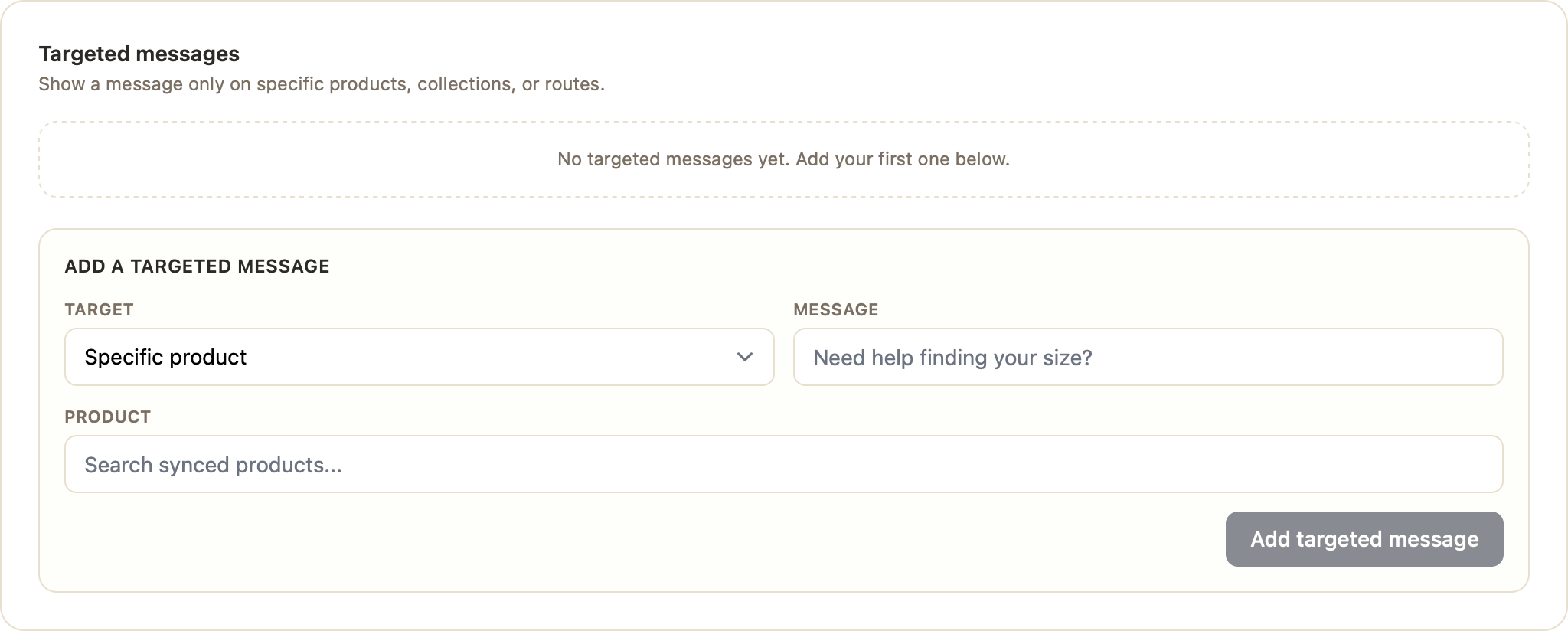
Targeted messages
Shown only where they're relevant. You can target by:
- Specific product — search your synced products and attach a message to that product page.
- Specific collection — show a message across an entire collection.
- Custom route — match any URL path (e.g.
/pages/about) using Contains, Exact, Starts with, or Regex matching.
Targeted messages take priority over defaults, so the most relevant message wins on any given page.
Ways to leverage Engage
- Product pages: "Not sure about sizing? Ask me for a fit recommendation." Reduces returns and hesitation.
- High-value products: "Questions about this item? I can help right now." Adds a human touch to big purchases.
- Collections: "New to our skincare range? Let me help you choose." Guides discovery and cross-sells.
- Sale or landing pages: "Use code WELCOME10 for 10% off your first order." Surfaces promotions where they convert.
- Shipping/returns pages: "Questions about delivery times? Ask away." Removes a common pre-purchase blocker.
- Homepage (default): "Hi! Looking for anything in particular today?" A warm, store-wide welcome.
Tips for great engage messages
- Keep it short, specific, and benefit-led — questions invite a reply.
- Match the message to the page (a product-page prompt should reference that product's context).
- Don't over-do it — a few well-placed targeted messages outperform many generic ones.
- Review your conversations to see which prompts spark the most engagement, then double down.
Was this article helpful?
That’s Great!
Thank you for your feedback
Sorry! We couldn't be helpful
Thank you for your feedback
Feedback sent
We appreciate your effort and will try to fix the article