When the AI can't fully help a customer — or someone asks for a human — Chatkit needs to know what to do next. You choose this under Dashboard › Settings › Tickets, under "When the assistant can't help." There are three options.
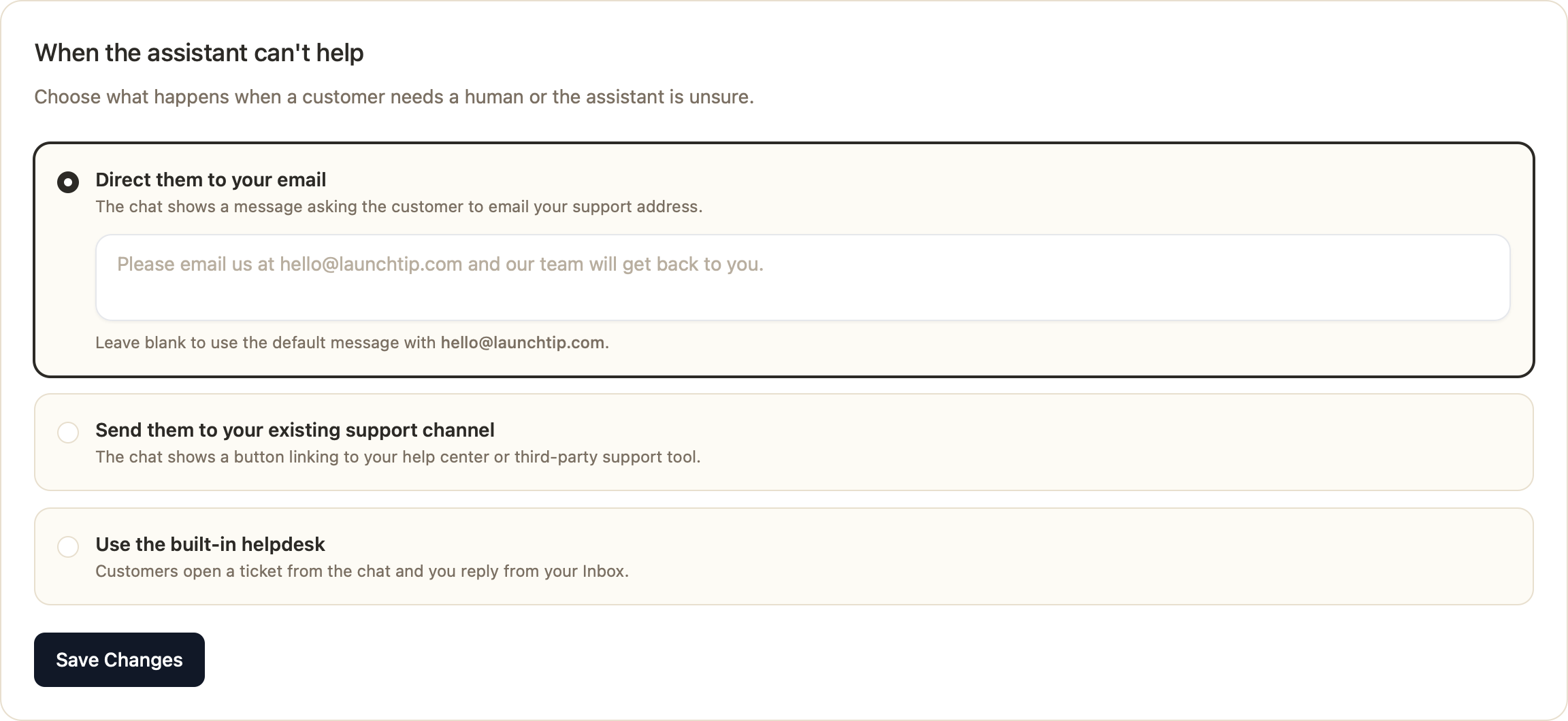
Option 1: Direct them to your email
The chat shows a message asking the customer to email your support address. Simplest option — good if you already manage support entirely from an email inbox.
- Customize the message shown, or leave it blank to use the default with your store email.
- No new tools to learn, but conversations leave Chatkit and you lose the surrounding context.
Option 2: Send them to your existing support channel
The chat shows a button linking to your help center or a third-party support tool (Zendesk, Gorgias, Freshdesk, etc.).
- Set the destination URL, the button label (e.g. "Contact support"), and an optional message above the button.
- Best if your team is already committed to an external helpdesk.
Option 3: Use the built-in helpdesk (recommended)
Customers open a support ticket right from the chat, and you reply from your Chatkit Inbox — no external tool required. Tickets can also be created when customers email your support address.
Why use Chatkit's built-in support tickets?
- Everything in one place. The original chat transcript is attached to each ticket, so you have full context without switching apps or asking the customer to repeat themselves.
- AI does the heavy lifting. Generate an AI Draft reply with one click — written from your knowledge base, policies, and past resolutions, in your team's tone.
- It gets smarter over time. Resolved tickets can train your AI (see AI Training), so common issues get answered automatically in chat before they ever become tickets.
- Faster replies. Insert knowledge base articles, reuse saved templates (canned responses), and attach files directly in the reply.
- Team-friendly. Add internal notes, see each customer's contact and conversation history, and manage statuses together.
- No extra cost or tool. It's included — one less subscription and one less system to maintain.
You get a default support email address automatically. On eligible plans you can also add a custom email address so replies come from your own domain.
Which should you choose?
- Want the simplest setup and already live in email? Option 1.
- Already invested in an external helpdesk? Option 2.
- Want context, AI-assisted replies, and a system that improves your bot over time? Option 3 — the built-in helpdesk.
Was this article helpful?
That’s Great!
Thank you for your feedback
Sorry! We couldn't be helpful
Thank you for your feedback
Feedback sent
We appreciate your effort and will try to fix the article