Historical AI Training lets your AI learn from conversations you've already resolved, so it gets smarter and more on-brand over time. You'll find these controls under Dashboard › Settings › AI Training.
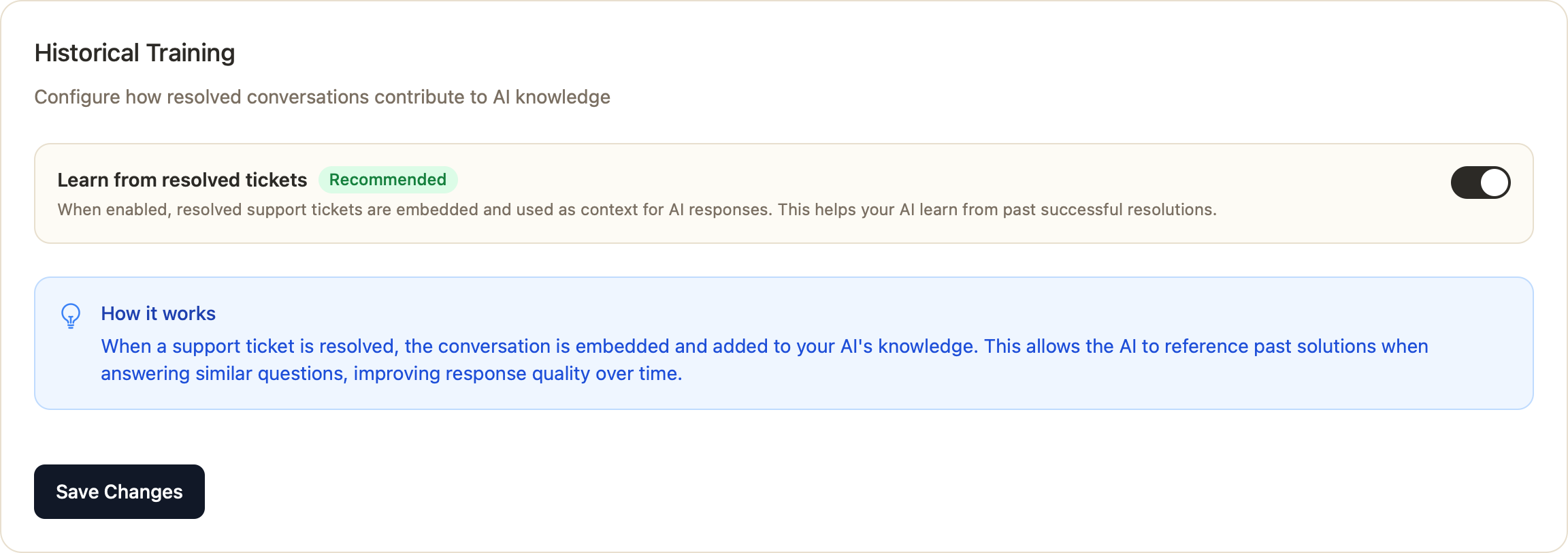
Learn from resolved tickets
When this is enabled, your resolved support tickets are embedded and used as context for future AI responses. The AI can then reference how similar questions were successfully handled before — improving answer quality automatically.
- Go to Settings › AI Training.
- Turn on Learn from resolved tickets (recommended).
You'll see a live count of how many resolved tickets are currently contributing to your AI.
Ticket Response Style
Shape how the AI drafts replies for support tickets:
- Greeting template — e.g. "Hi {recipient}," (the customer's name is auto-detected).
- Sign-off template — e.g. "Kind regards, {agent_name}" (the responding agent's name).
- Tone & style guidance — describe the voice you want, e.g. "Friendly and conversational, concise, no jargon."
Analyze from history
Once you have at least 5 resolved tickets, an Analyze from history button appears. Click it and Chatkit will automatically detect your team's communication style from past replies and fill in your greeting, sign-off, and tone for you. With fewer than 5 resolved tickets, just enter these manually for now.
Where the rest of your knowledge lives
Historical training works alongside your Knowledge Sources — knowledge base articles, text entries, uploaded files, website pages, and integrations. Manage those anytime from Settings › AI Training › Manage Data (or the Data screen).
Why enable it?
- Your AI keeps improving as you resolve more conversations — no manual retraining needed.
- Responses stay consistent with how your team actually talks to customers.
- Proven solutions get reused, so customers get faster, more accurate answers.
Was this article helpful?
That’s Great!
Thank you for your feedback
Sorry! We couldn't be helpful
Thank you for your feedback
Feedback sent
We appreciate your effort and will try to fix the article